

















< Previous | Contents | Manuals Home | Boris FX | Next >
How to Use It
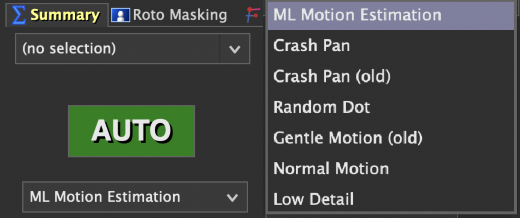
Using ML Motion Estimation requires no additional setup:
Import your footage as usual.
In the Summary or Feature panel:
o In the Summary panel, below the Auto button where you configure motion type, or
o In the Feature panel (default: Normal Motion),
Select ML Motion Estimation from the dropdown.
Click Track or Auto to begin tracking and solving.
©2026 Boris FX, Inc. — UNOFFICIAL — Converted from original PDF.
